Unsere Stühle im Besprechungszimmer sind von 2007. Einige quietschen inzwischen, wenn jemand drauf sitzt und sich bewegt.
Wir haben uns an unseren Möbelhändler gewandt, dieser sich an den Hersteller und laut seinen Aussagen, ist da nichts mehr zu machen.
Meine Vermutung war, dass die Verschraubungen zwischen Lehne/Sitz und Metallrahmen quietschen.
Also habe ich den gesamten Stuhl zerlegt, so dass nur noch der nackte Metallrahmen da stand.
Doch auch dieser hat gequietscht. Komplett irre!
Also habe ich aus der Not der Verzweiflung heraus versucht in alle Löcher des Rahmens WD-40-Spray zu sprühen.
Anschließend ein bisschen herum gewackelt, so dass sich das Spray komplett verteilt.
Und siehe/höre da: Das Quietschen war weg! Hammer!
Ich habe dann die Technik so weit perfektioniert, dass es auch bei den normalen Stühlen ohne Demontage funktioniert, indem ich in die beiden Löcher hinten unten im Fuß sprühe (siehe mein Video hier).
Meine Vermutung ist, dass der geschweißte Rahmen gar nicht hohl ist, wie ich intuitiv dachte, sondern dass, vermutlich aus Abknickschutz-Gründen, innen drin noch ein massives(?) Stahlrohr enthalten ist. Und das wird vermutlich am äußeren Rohr reiben und die Geräusche verursachen.
In manchen Stühlen ist beim Kippen auch Metall-Roll-Geräusche zu hören und die offenen Löcher waren von innen teilweise mit Muttern verklemmt. Ich vermute, da hat sich was aus der Verschraubung(?) innen gelöst. Ggf. quietscht es ja auch deshalb.
Jetzt warte ich mal die Langzeitergebnisse ab, ob das eine Dauerhafte Lösung ist.
Update Oktober 2019
Auch jetzt, über ein Jahr später, quietscht immer noch nichts und es ist auch kein Öl ausgelaufen. Ich gehe davon aus, es läuft auch nichts mehr aus.
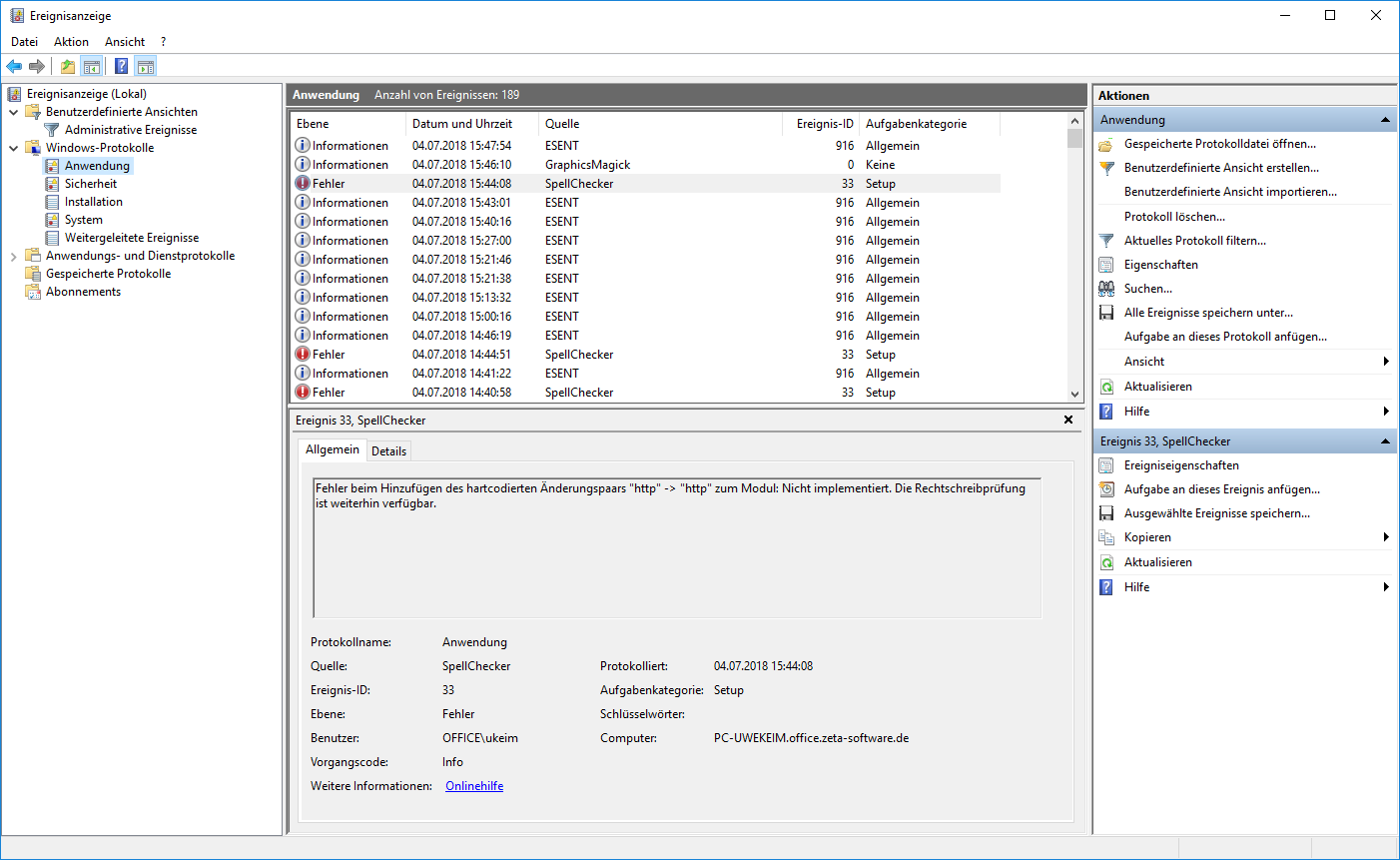
Dort beschreibe ich in einfachen, knappen Worten, was die Ereignisanzeige ist, wie der Anwender diese starten kann, und wo Informationen zu finden sind.
Im Laufe der Zeit werde ich dort sicher noch mehr Informationen platzieren. Ggf. auch ein kleines Erklär-Video.
Seit bestimmt über 10 Jahren trage ich eine Idee für eine kleine, interaktive Website mit mir herum.
Da ich mir nie vorstellen konnte, diese zu monetarisieren, habe ich lieber andere Dinge programmiert (1, 2, 3) und die Idee bisher nicht umgesetzt.
Vielleicht möchte ja jemand anderes die Idee mal umsetzen, deshalb nachfolgend ganz kurz die Idee skizziert:
Ausgangslage
Im Radio/TV/Internet bringen „Journalisten“ immer mal wieder so absurde Vergleiche wie:
Die in Brasilien täglich abgeholzte Fläche Regenwald entspricht 15 Fußballfeldern
Das machen die wohl, damit der normale Leser sich bildlicher etwas vorstellen kann.
Elevator Pitch
Ich habe mir nun überlegt, dass zu verallgemeinern:
Eine Website mit einer Datenbank erstellen.
Dort normiert auf SI-Einheiten, Objektbeschreibungen hinterlegen.
Eine Abfrage-Oberfläche für Endbenutzer zu erstellen, in die eine SI-Einheit eingeben wird und daraufhin eine Liste von passenden Objekten anzeigt.
Benefits
Benutzer der Website können sich originelle Größenvergleiche anzeigen lassen, abseits von den aus den Medien bekannten, ausgelutschten Vergleichen.
Beispiel
Es können z.B. hinterlegt sein:
Fläche abgeholzter Regenwald pro Tag in Brasilien in m².
Größe eines Fußballfelds in m².
Hautoberfläche eines Menschen in m².
…
Ein Benutzer kann dann in der Oberfläche z.B. einen Wert in SI-Einheiten eingeben:
150 m².
und bekommt dann eine Liste ausgegeben, dass sein eingegebener Wert dem entspricht:
0,001 × abgeholzter Regenwald pro Tag in Brasilien.
0,5 × Fußballfelder.
2,3 × Hautoberfläche eines Menschen.
…
Alternativ kann der Benutzer auch über eine „Vorschlagen“- oder „Zufall“-Funktion sich originelle Kombinationen darstellen lassen.
Auch könnte eine „Blättern“-Funktion ganz ohne Eingabe Kombinationen und Größenvergleiche anzeigen.
Funktionsweise
Da alle Objekte in der Datenbank im Hintergrund in SI-Einheiten normiert sind, kann das System gleichartige SI-Einheiten ineinander umrechen und so zwischen eigentlich nicht-verwandten Objekten (z.B. Regenwaldfläche und Fußballfeld-Größe) vergleichen.
Herausforderungen
Neben der Entwicklung der Website selbst dürften die größten Aufwände im Erstellen und späteren Pflegen der Datenbasis bestehen.
Eventuell könnte diese Datenbasis auch auf Wikidata basieren und somit (teil-)automatisiert werden.
Erweiterungen
Das Prinzip lässt sich sicher beliebig erweitern und verkomplizieren, z.B. könnte bei dem obigen Beispiel der abgeholzten Regenwaldfläche in Brasilien pro Tag nicht nur die Fläche, sondern auch die Zeitspanne (also die Tage) variabel hinterlegt werden und beim Lookup entsprechend berücksichtigt werden.
Neben den reinen SI-Basiseinheiten könnten sicher auch weitere Einheiten wie Währungen hinterlegt werden.
Markt und Wettbewerb
Ich glaube es gibt keinen großen Markt für das hier beschriebene Tool.
Es ist eher eine „nette Sache“, die aus technischer Sicht sicher cool ist, aus kommerzieller Sicht nicht.
Google z.B. kann ja teilweise schon zwischen recht vielen Einheiten selbst umrechnen, z.B. cm in Zoll.
Eventuell haben andere Entwickler so ein Projekt auch schon mal realisiert, ich habe noch nie so etwas gesehen, andererseits auch noch nie explizit länger danach gesucht.
Epilog
Somit endet meine kurze Vorstellung.
Würde mich interessieren, was Ihr davon haltet („Saucool“ vs. „Biggest Bullshit ever“), oder ob Ihr ggf. sogar Interesse an einer Umsetzung habt.
Heute habe ich mein Windows 8.1 auf Windows 10 aktualisieren wollen.
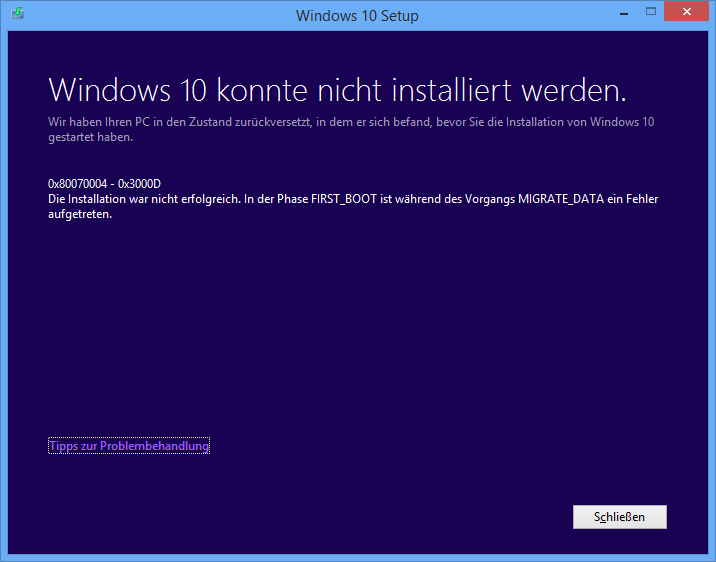
Leider kommt am Ende folgender Fehler:
Als Text:
Windows 10 konnte nicht installiert werden.
0x80070004 – 0x3000D
Die Installation war nicht erfolgreich. In der Phase FIRST_BOOT ist während des Vorgangs MIGRATE_DATA ein Fehler aufgetreten.
Ich habe leider keine Lösung.
Das Einzige was ich beim Googeln gefunden habe ist dieser Beitrag aus China, dessen vorgeschlagene Lösung ich auch automatisch übersetzt nicht verstehe.
Der KB-Artikel enthält ein Skript, das auszuführen ist.
Ich musste das Skript anpassen, da die dort verwendete Windows-Benutzergruppe „administrators“ in meinem deutschen Windows 8.1 „administratoren“ heißt.
Anschließend lief das Skript für 10-20 Minuten.
Danach habe ich das Windows-10-Setup erneut ausgeführt und es lief alles durch.
Update
Der KB-Artikel wurde inzwischen von Microsoft gelöscht. Deshalb habe ich die Google-Cache-Version des Artikels genommen und die relevanten Infos nachfolgend hierher kopiert.
Aus dem Artikel (Englisch):
Error 0x80070005 in Windows Update when you try to install updates
Resolution
Error code 0x80070005 is also known as „ACCESS DENIED.“ It usually occurs when you lack file or registry permissions that are required to install the update. (Because file or registry permissions may be changed by malware, we recommend that you scan for malware after you repair the permissions.)
To resolve the issue, make sure that you are logged on as an administrator, and then install the updates again. If the problem continues, use the SubInACL tool to repair file and registry permissions. To do this, follow these steps:
Download the SubInACL tool (Mirror), and install it to the default path that is offered by the installer. The default path will be one of the following, depending on your version of Windows:
%ProgramFiles%\Windows Resource Kits\Tools (32-bit versions of Windows)
%ProgramFiles(x86)%\Windows Resource Kits\Tools (64-bit versions of Windows)
Start Notepad, and then copy and paste the following commands:
 @echo off

 setlocal

 echo.
 echo Determine whether we are on an 32 or 64 bit machine
 echo.

 if "%PROCESSOR_ARCHITECTURE%"=="x86" if "%PROCESSOR_ARCHITEW6432%"=="" goto x86

 set ProgramFilesPath=%ProgramFiles(x86)%

 goto startResetting

 :x86

 set ProgramFilesPath=%ProgramFiles%

 :startResetting

 echo.

 if exist "%ProgramFilesPath%\Windows Resource Kits\Tools\subinacl.exe" goto filesExist

 echo ***ERROR*** - Could not find file %ProgramFilesPath%\Windows Resource Kits\Tools\subinacl.exe. Double-check that SubInAcl is correctly installed and re-run this script.
 goto END

 :filesExist

 pushd "%ProgramFilesPath%\Windows Resource Kits\Tools"

 subinacl.exe /subkeyreg HKEY_LOCAL_MACHINE /grant=administrators=f  /grant=system=f
 subinacl.exe /subkeyreg HKEY_CURRENT_USER /grant=administrators=f  /grant=system=f
 subinacl.exe /subkeyreg HKEY_CLASSES_ROOT /grant=administrators=f  /grant=system=f
 subinacl.exe /subdirectories %windir% /grant=administrators=f /grant=system=f

 echo FINISHED.
 echo.
 echo Press any key to exit . . .
 pause >NUL

 popd

 :END

 endlocal
Right-click the Reset.cmd file in File Explorer (in Windows 8.1 and Windows 8) or Windows Explorer (in Windows 7 and Windows Vista), and then click Run as administrator. In Windows XP, double-click the file in Windows Explorer.
Wait until the execution finishes, and then try to install the update again.
Note If you receive errors when you run SubInAcl, see the following Microsoft blog: Notes about a couple of possible issues while using the SubInAcl tool.
ist ein kostenloses Tool von Microsoft, das in Outlook eine neue Schaltfläche in der Ribbonleiste installiert und danach mit einem einzigen Mausklick folgendes macht:
E-Mail-Nachricht an Microsoft als Spam melden.
E-Mail-Nachricht in den Junk-E-Mail-Ordner verschieben.
Hätte das geschissene Outlook jetzt auch noch die Möglichkeit, eigene Tastaturkürzel zu definieren (was auch die Version 2013 nicht hat), dann könnte ich, wie in GMail mit dem Ausrufezeichen-Tastaturkürzel, auch komplett per Tastatur Spam weghauen.
Update 11.11.2015
Es gibt noch kein Add-in, das auch mit Outlook 2016 arbeitet, leider.
Laut einem Forums-Posting von Mai 2015 soll nach dem Erscheinen von Office 2016 (also jetzt!) irgendwann eine kompatible Version erscheinen.
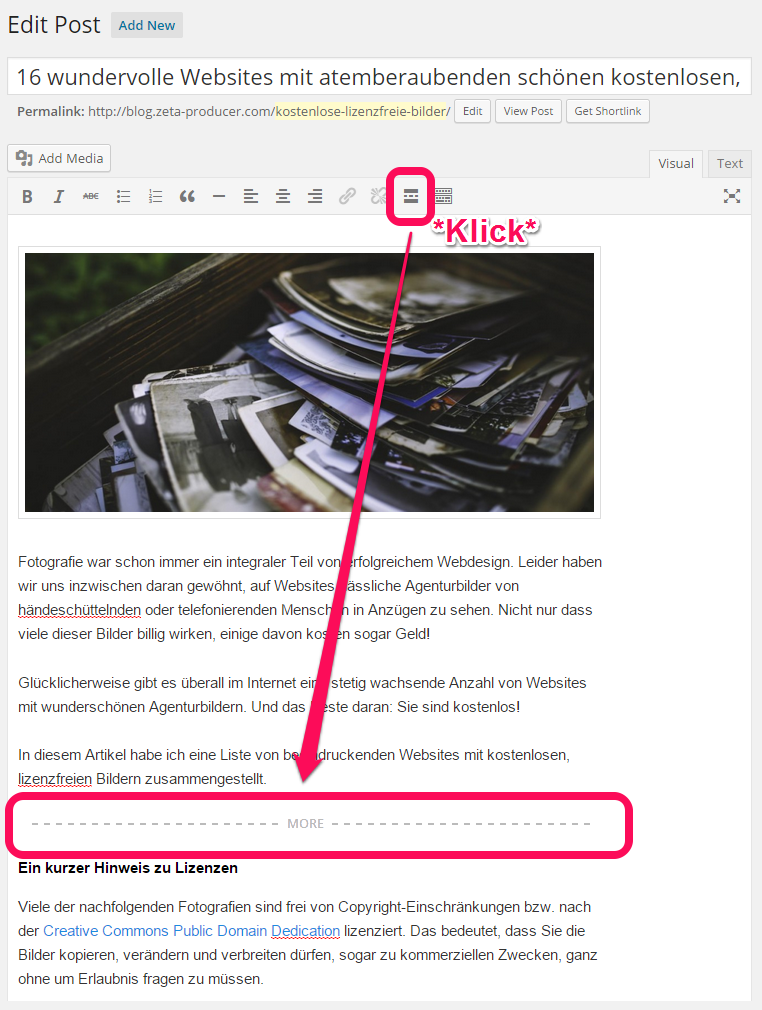
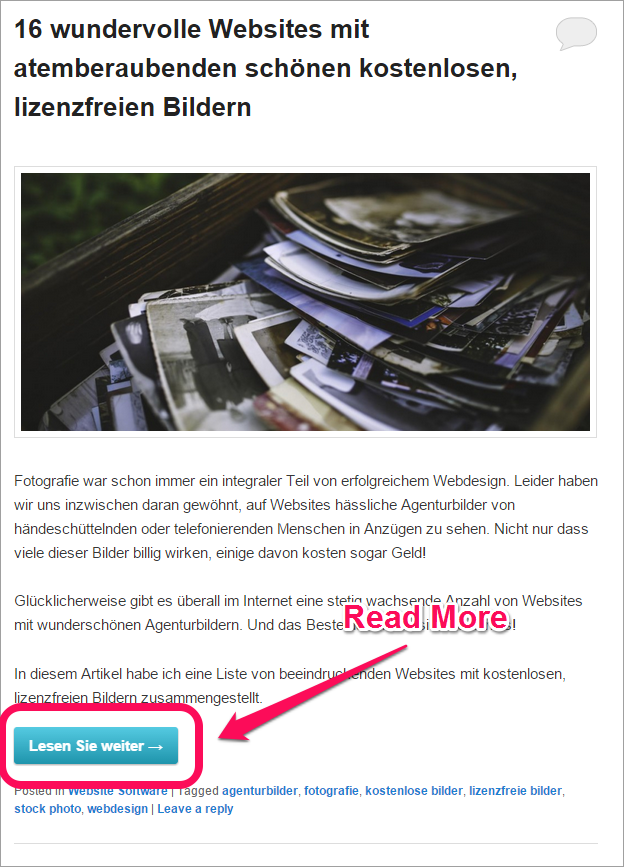
In WordPress könnt Ihr einen Artikel in der Übersicht verkürzt darstellen und bei Klick auf einen „Read More“-Link kann der Besucher dann den ganzen Artikel lesen.
Im Admin-Bereich sieht das so aus:
Bei mir war der Link standardmäßig recht unscheinbar (fast ohne CSS, nur wie ein normaler Link) und außerdem in Englisch und zu guter letzt wollte ich, dass der Link nicht mitten in den Artikel springt, sondern dass die Scrollposition am Anfang der Seite steht.
Und genau dafür gibt es ein WordPress-Tutorial „Customizing the Read More“ direkt beim Hersteller selbst.
Das bedingt ein ändern der functions.php-Datei des Themes. Um das zu vermeiden habe ich mir das WordPress-Toolbox-Plugin installiert und damit konnte ich dann nachfolgenden Quelltext als Datei custom_more.php, ganz ohne Änderung von functions.php installieren: